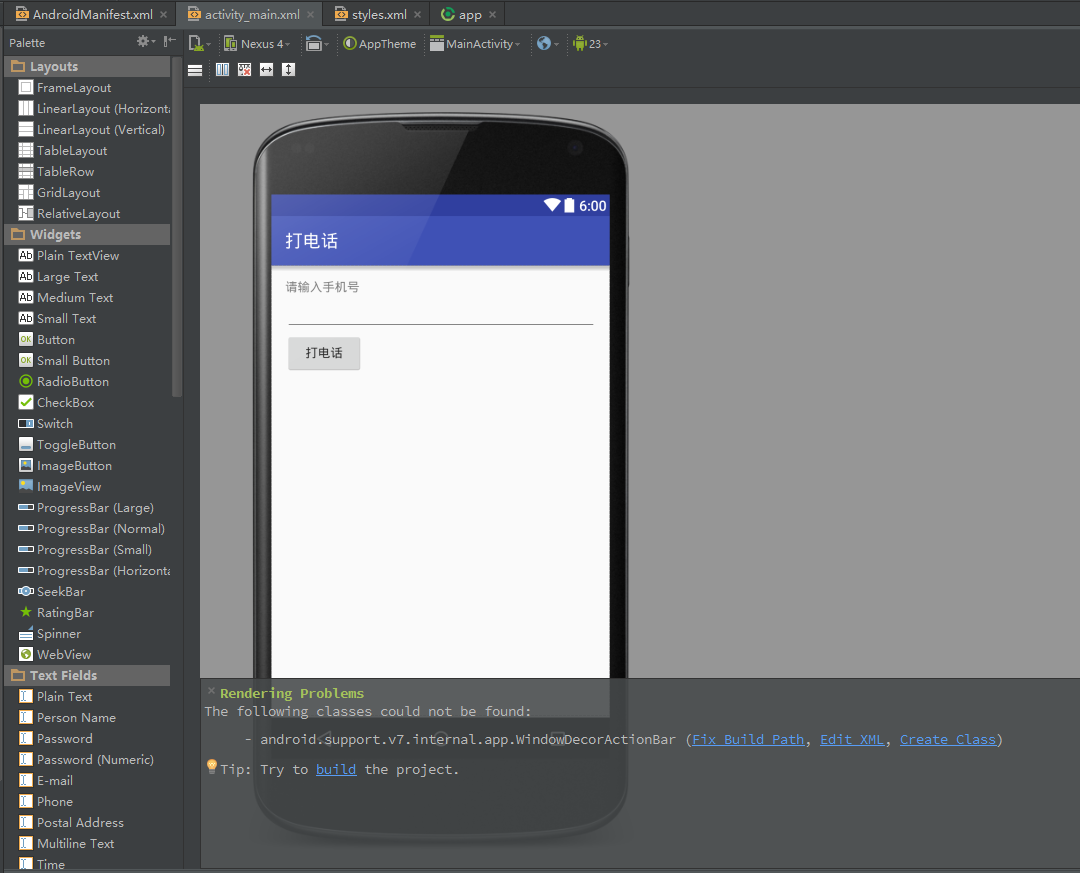
Rendering Problems The following classes could not be found:
– android.support.v7.internal.app.WindowDecorActionBar (Fix Build Path, Create Class) Tip: Try to build the project.
问题如图:
解决方案:
The Actionbar has been deprecated and replaced by Toolbar. That being said, you can do the following if you want to continue using Actionbar for now:
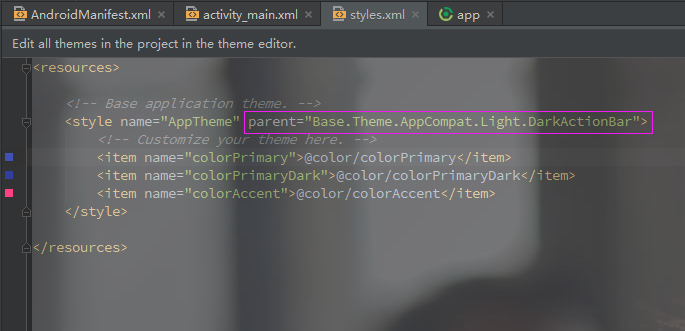
1、Open styles.xml in the values folder inside the res folder.
2、Add the word Base to the beginning of the theme name so that it reads “Base.Theme.AppCompat.Light.DarkActionBar”
I had the same issue today and this solution worked for me. FYI I am in Android Studio though, but hopefully the solution is similar for Eclipse.
即:
styles.xml 文件中 Theme.AppCompat.Light.DarkActionBar 前添加Base.
<style name="AppTheme" parent="Base.Theme.AppCompat.Light.DarkActionBar">
改后如图: