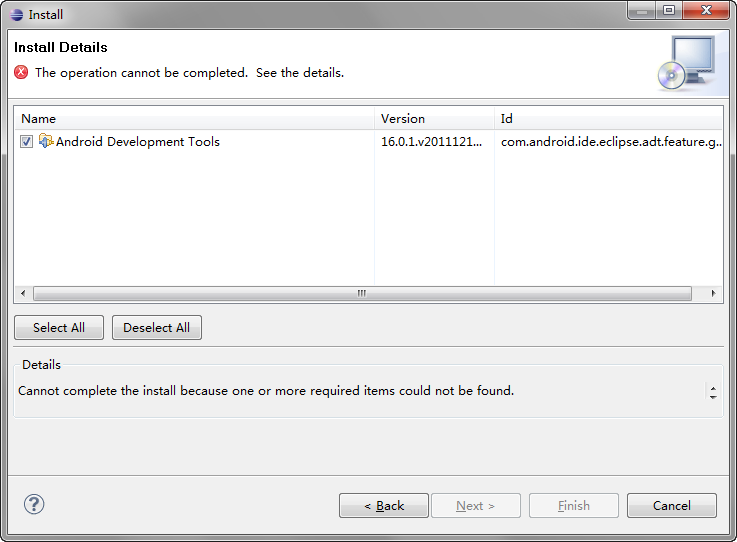
在Eclipse安装ADT的插件时出错:Cannot complete the install because one or more required items could not be found
无法安装Adnroid Development Tools。
经研究发现是缺少 WST Server Adapters 这个东东造成的。
解决方法一:
1、在Help->Install New Software 中找到你那个版本的主要更新源,然后安装WST Server Adapters。
2、之后再安装ADT就可以了。
不过这样很容易因为网速慢的问题打不开更新列表,所以下面的方法经微酷验证最好用。
解决方法二(推荐):
下载其他版本的Eclipse,如:Eclipse IDE for Java EE Developers、Eclipse for RCP and RAP Developers 等,经微酷验证 eclipse-jee-indigo-SR2-win32-x86_64.zip 这个版本可以不用单独安装WST Server Adapters,非常棒!